May 28, 2026
A few new features for the Self Storage app.
- You can now delete and edit payment methods. When editing, you can change everything but the credit card. This is useful if you need to update the billing address or expiration date. If you need to change the credit card, add a new one instead.
- If there are multiple payment methods, you can now change which one is the primary payment method.
Edit Page form updates and table of contents
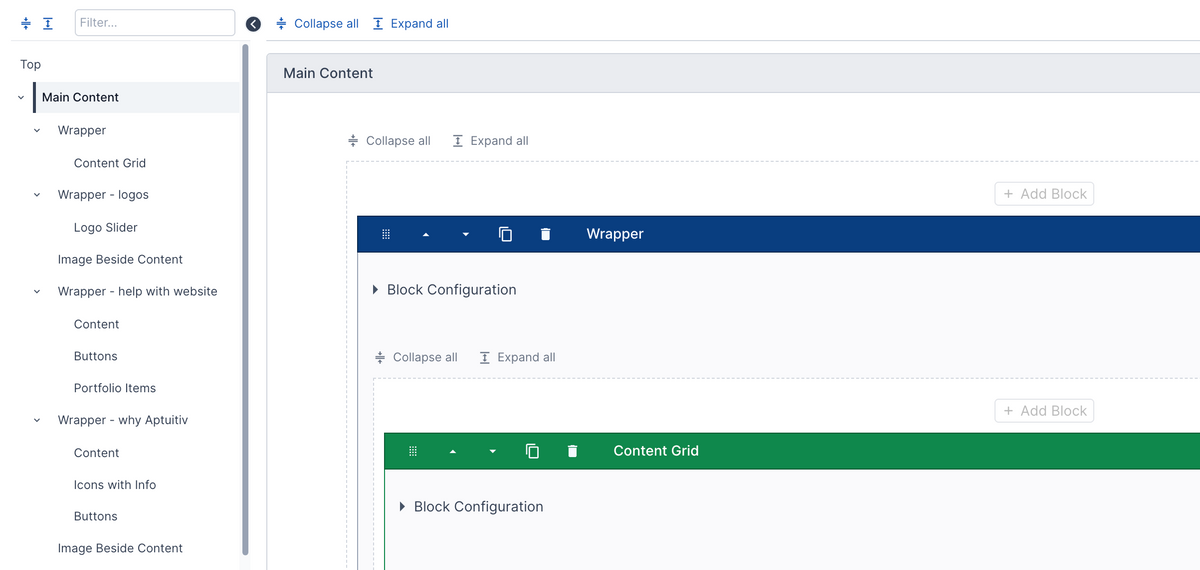
Updated the "Edit Page" form to use the new accordion layout instead of horizontal tabs. This brings a number of (hopefully) improvements:
- Instead of showing the content areas in horizontal tabs, they now show in the table of contents in the sidebar.
- All blocks and content layout fields now show in the sidebar. You can click on one to jump to it.
- You can search the sidebar - useful if you're trying to find a specific block on a long page.
- On apps like the Blog app, this will now include any fields, not just blocks.
The goals with this update include:
- Having a unified view for adding and editing content.
- Making it easier to search for content. Previously, content could be hidden by a tab.
- Prevent having to scroll back to the top just to go to another tab.
- Make it easier to find content to edit.
Please contact us with any feedback that you may have.
May 22, 2026
Improved how error messages are displayed to be more helpful. Also added support for clicking on an error message and scrolling to the field that has the error.
Updated all add/edit forms for app items to use the new accordion view to display groups. This keeps the fields in a linear section and makes it easier to search for fields and scroll.
New image scanner for website accessibility
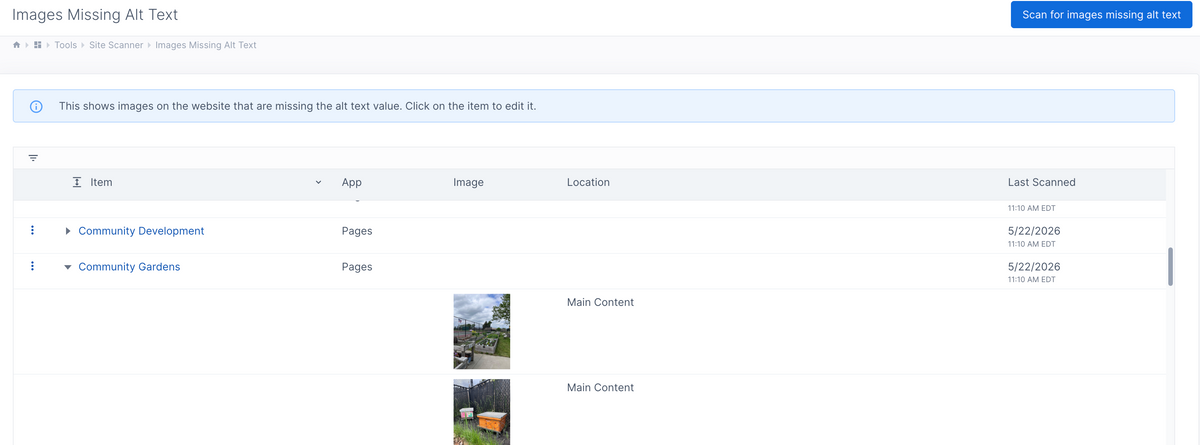
Added a new tool to help with improving website accessibility.
You can now scan the website and find images that are missing the alt text value.
Go to Site Manager -> Tools -> Site Scanner.
This will scan the content stored for each page, app item, content snippet, template, and collection widget and find any images that are missing alt text. If there are any images missing alt text, then they show in a table with a link to the page. You can expand the row to see which images are missing alt text. The images show the general area of the page where they are located.
Require alt text for images to improve accessibility

Added support for requiring the alt text for images when adding and editing content. This helps to enforce accessibility requirements with images.
Image alt text is used by screen readers to describe an image and is important for maintaining accessibility.
Go to Settings -> Images to enable this. (For existing websites, this is off; for new websites, this will be enabled by default.)
The following will happen when this setting is enabled:
- When adding or editing an image in the rich text editor, the image description (alt text) field will now be required. You can't close the image popup until you enter some alt text.
- Image upload fields will require that the image description (alt text) field be filled in.
- When submitting the form, image upload fields will be validated to ensure that their alt text is filled in.
There is some flexibility with the image upload fields. Sometimes, the alt text is always set in a template. In that case, you can configure the upload field not to require alt text. Usually, in that case, you also want to hide the alt text field, which you can do by editing the field configuration.
May 16, 2026
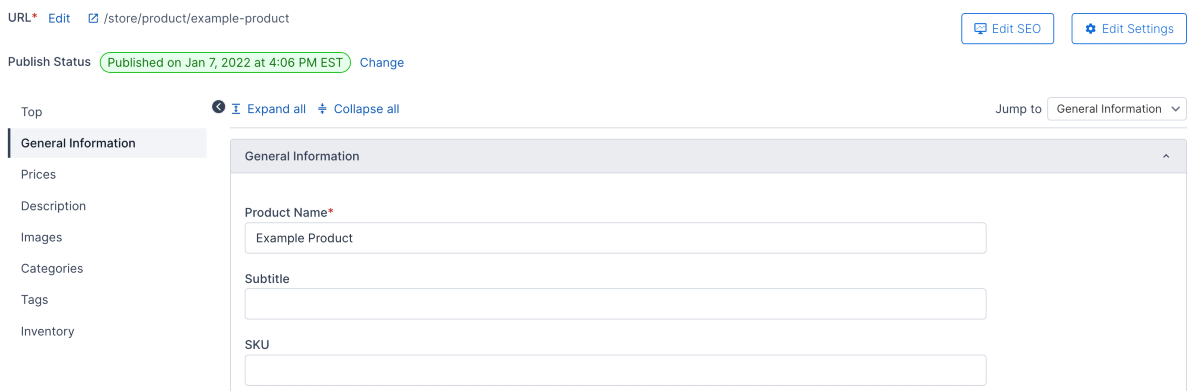
Store products - added a new layout for adding and editing products. Instead of tabs for different attribute groups, they are shown vertically in collapsable sections. There is navigation on the left to jump to a section or highlight the current section that you're one.
We are likely going to use this new layout for all apps in the near future.
May 15, 2026
- Store - migrated email notifications settings to the new admin.
- Store - migrated the partial quantity group settings to the new admin.
- Store - migrated the invoice packing list template settings to the new admin.
- Calendar - added support for automatically filling in the URL Key value if it's missing on older events.
- Fixed issue where the margin and padding field types didn't display a field description.
May 13, 2026
Self-storage: Improved handling of incomplete subscriptions. A subscription can be incomplete if a customer signed an agreement but didn't pay for it.
- Added admin support for deleting incomplete subscriptions.
- Added admin support for activating an incomplete subscription.
May 12, 2026
Store: Migrated store settings to the new admin interface.
Self-storage: Fixed issues where, in rare cases, it was possible to rent a unit that was already rented.
May 7, 2026
Updates to admin users and permissions:
- Added a column to the user table to show if the user has limited permissions.
- Improved the table used to select which page the user can access to allow filtering.
- Added user permissions to Collection Widgets like the old admin had.