File Browser Overview
The File Browser is a versatile app for both uploading, viewing, editing, and linking to files. In addition to managing files, folders can be created directly in the administration instead of doing so in an FTP program.
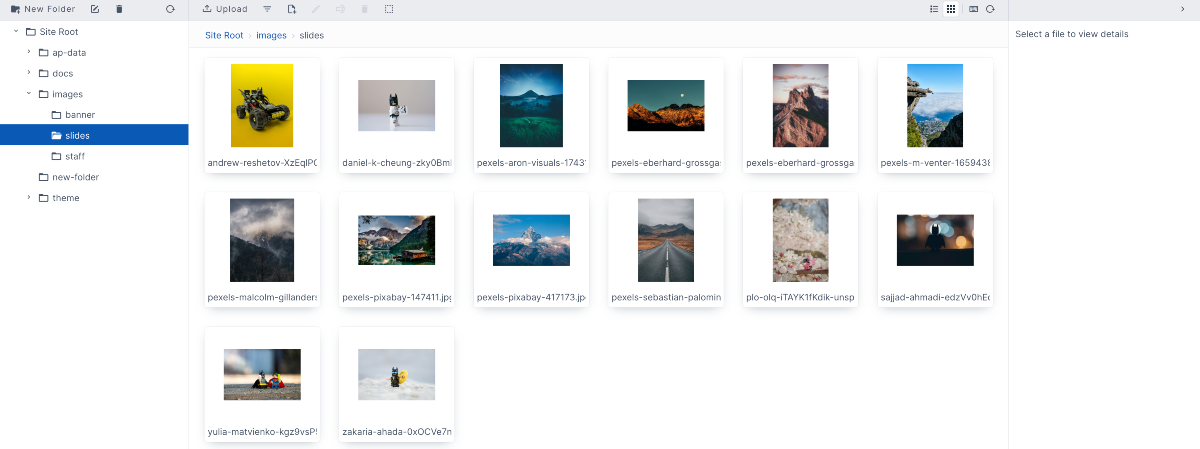
The File Browser has three panes. The left pane is where you can see and interact with the folders. The center pane is where you can see and interact with the files within the folders, and the right pane is for file details. There you can see information about a file. Below are some links with further explanations on the panes.
Learn how to manage files in the file browser.