File Browser Folders
Viewing folders
The folders are on the left side of the file browser.

Creating a new folder
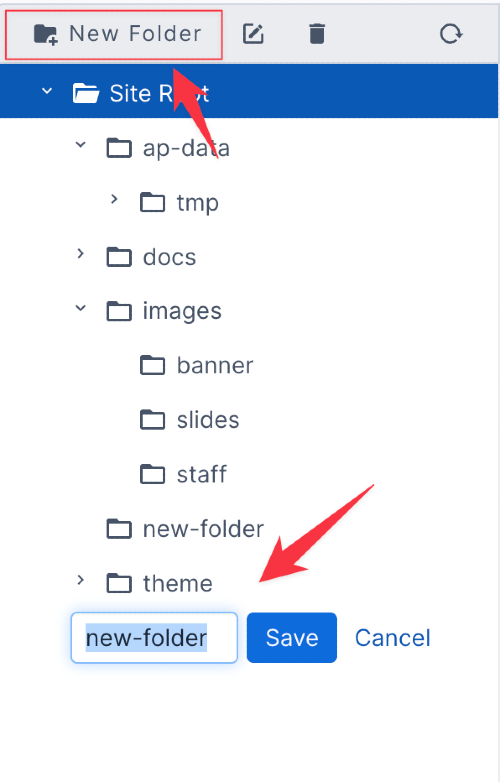
To create a new folder, first click on the folder that you would like the new folder to be under.
Then click the button above the folder list that says "New Folder".
After creating one, you are able to name it and the press save. Pressing cancel will delete it.
Changing Folder Name
To change the name of a folder, click the folder, then click the square button with a pencil icon. It is located above the folders.

Deleting a folder
To delete a folder, click on the folder that you want to delete. Then click the trash can button above the folders. After this, you will see a popup with two options. Click "Cancel" to cancel and "Yes, delete folder and it's contents" to confirm and delete.
Note that this will delete the folder, any subfolders, and any files in the folder or subfolders.

Reloading folders
To refresh the folder list, click the circle arrow above the folders.
