New built-in image cropping features
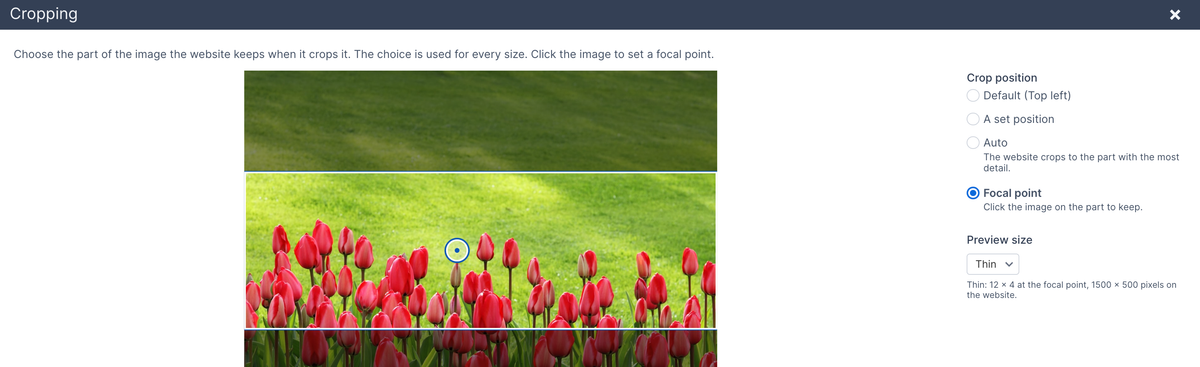
Image fields in the administration got a big upgrade. We've had our image pipeline functionality for a while, and it lets a developer resize, crop, and make other image modifications.
However, until now, there was no way to preview cropping or configure cropping in the administration.
Now you can set up cropping for individual image fields. The crop sizes can be an aspect ratio, an aspect ratio with a width, or a specific height and width combination.
You can also configure whether the templates will automatically output the image with crop sizes as an <img> tag with srcset attributes or as a <picture> tag.
Editors will be able to preview their image at each of the crop sizes that are set up. They can also edit the focal point for the crop by choosing specific regions or setting a specific focal point. That helps to ensure that the cropped image looks like you'd expect it to.