Release: June 5, 2026
We just released a new feature to streamline adding images or files to your pages.
If you have a Repeating field that lets you add one or more images or files, you can now bulk upload them and have them automatically added to the field.
For example, you may have an "Images" field where you can add multiple image items. You can now select multiple images from your computer and upload them at once. The alternative is to add a new item, upload an image, and repeat.
If your repeating field has an image or file upload, you'll now see an upload button to the right at the top of the field. Click that to get started.

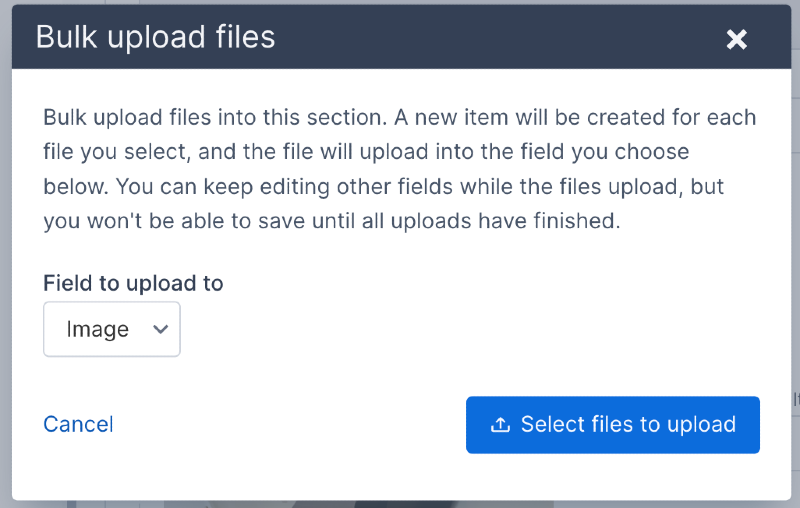
A pop-up will open where you can upload the images. If the repeating field has more than one upload field type (like an image and a file upload) then you can select which field you're uploading to. Click the "Select files to upload" button to select one or more files from your computer.
Once you've selected the files, the pop-up will automatically close, and the new items will be added. Your browser will automatically scroll down to the first item that was added.
If the repeating field doesn't have any values yet, then the empty first item will be replaced, and new items will be added after that.
If the repeating field has one or more items that already have values, then the new items will be added after the last item.