Release: July 15, 2026
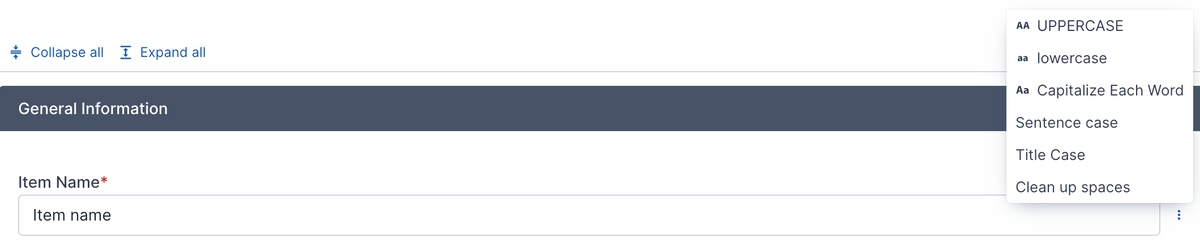
Text input fields now have a format option to them. When you hover over a text input field or click into it, a menu button shows after the field. Click the button and options to format the text show. You can do the following:
- UPPERCASE: Convert all letters to uppercase.
- lowercase: Convert all letters to lowercase.
- Capitalize Each Word: Make sure that the first letter in each word is capitalized. Other letters are lowercased.
- Sentence case: Capitalize the first letter in each sentence (or the start of the text) and lowercase everything else.
- Title Case: Capitalize the first letter of each word except for small words like "is", "and, "in", "or".
- Clean up spaces: Remove any spaces before or after the text and redundant spaces between words.