Image upload editor changes
Historically, all image upload fields showed an image editor after you selected a file. However, most of the time, you just want to upload the selected file, and this was an extra, unnecessary step. You can edit an uploaded image after the fact, and that will also update the image in the CDN.
Now, by default, image upload fields won't show the image editor. The exception is images in the rich text editor. We felt that it would be best to show the editor there because that's one spot where images probably should be resized before uploading.
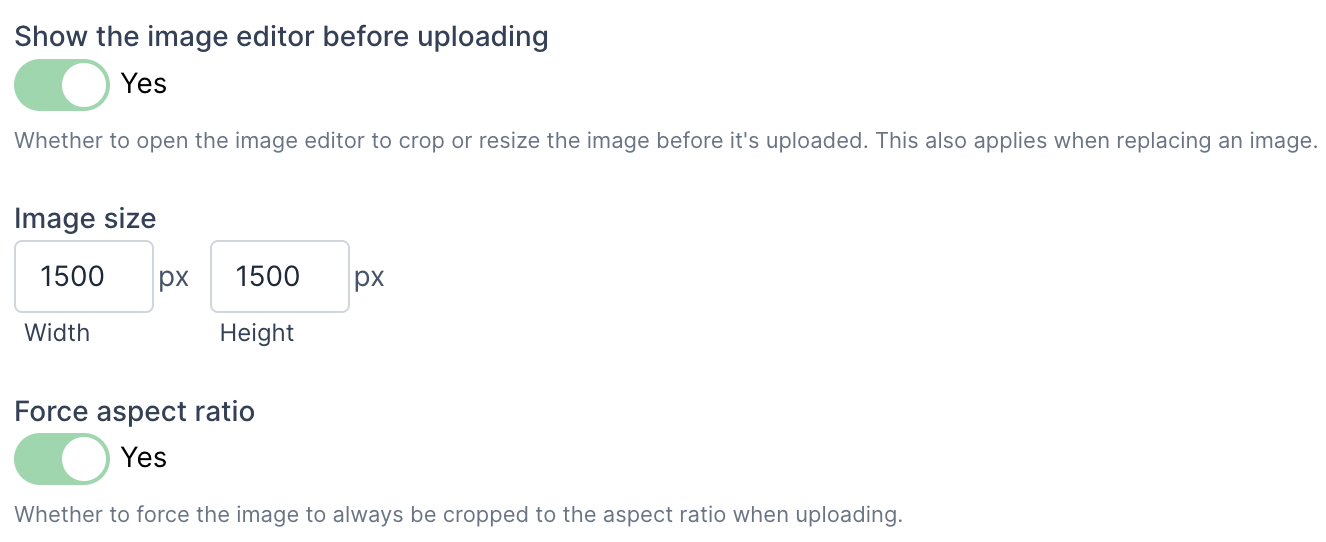
If, however, you want an image upload field to show the editor by default, there are two ways to do that.
1) There is a new "Show the image editor before uploading" field. Toggle this to "Yes" to always show the editor when uploading.
2) If you set the image size and then turn on the "Force aspect ratio" field, the image editor will always show. This is because the editor is used to crop the image if necessary to fit the aspect ratio.