How to Add a New Page
To Add a New Page, click the + Add Page button in the upper right corner

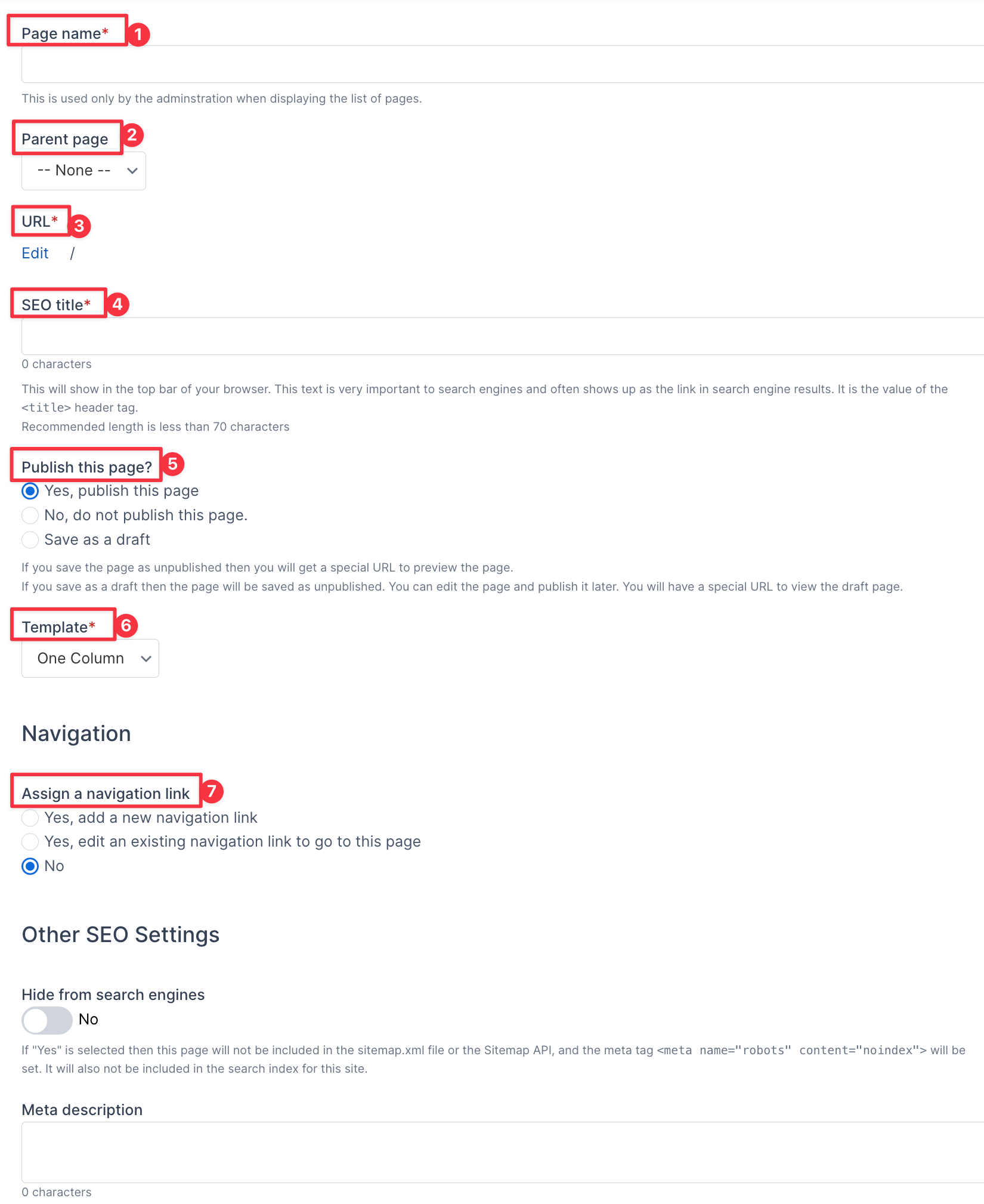
Add a New Page Fields
- Page Name is where you put your page's name
- Parent Page is where you select the page that this page will appear under
- URL is where you can edit the URL for your page
- SEO title
- This is where you can choose to make your page published, unpublished, or a draft
- This is where the template for your page can be changed, the default one is One Column
- Navigation is where you can assign navigation for your page: add a new navigation link, edit an existing navigation link to go to this page, or no navigation link
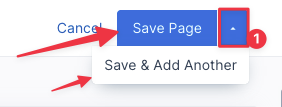
To Save a page, go to the upper right corner and select Save Page. If you want to add another page after, click the (1) arrow, then select Save & Add Another.