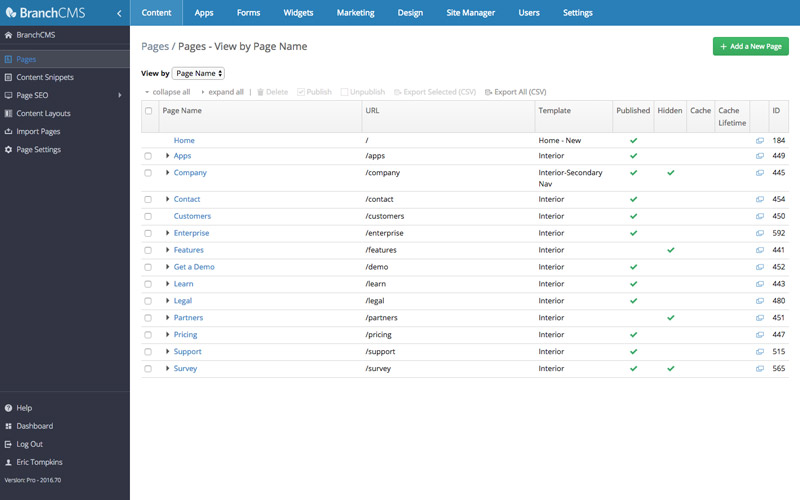
It's one thing to be customizable and flexible, it's a totally different thing to be easy to use. BranchCMS does both by giving you full control over all aspects of your site within an easy to use back end.
With BranchCMS, there's no need for plugins or other software to add a store, calendar, blog, image slideshow or other functionality to your website.
We've built add-on apps to enable any kind of functionality that your website needs. All BranchCMS apps are designed to have a consistent user interface so that using them is easy and intuitive.










BranchCMS gives you complete design flexibility. You don’t want a cookie-cutter solution that you have to hack and fight with to build your site. BranchCMS gives you the flexibility to build your website the way that you need to and then get's out of your way.
BranchCMS is a fully managed platform that is continuously developed. We handle all of the software upgrades, often pushing out updates multiple times a week. If there is ever a problem, we take care of it and update your website automatically.
All of this at no extra cost, leaving you free to focus on what you are good at: your business.
Need a slideshow for your home page? We've got that.
Need a blog, store, gallery, staff directory, or job listings? We've got you covered.
How about forms, or surveys? Yep, got that too.
BranchCMS has a lot of full-featured integrated apps to take your website to the next level.
Our servers are located in Rackspace's world-class datacenters. Rackspace is the leader in managed servers and their expertise allows us to have more time to work on building you great features. Only the best for our customers.
Every minute of every day our infrastructure and your website are being monitored by ourselves and by Rackspace. Multiple tools such as New Relic, Scout, Pingdom, URL monitoring, network and server alerts are used to keep everything running smoothly.
